Online Morse Code Generator — Create and Encode Morse Code from Any Text Free
You need to create morse code from text. You want a tool that generates it instantly, lets you hear it as audio, copy it with one click, and export it as a WAV file without any account, subscription, or download.
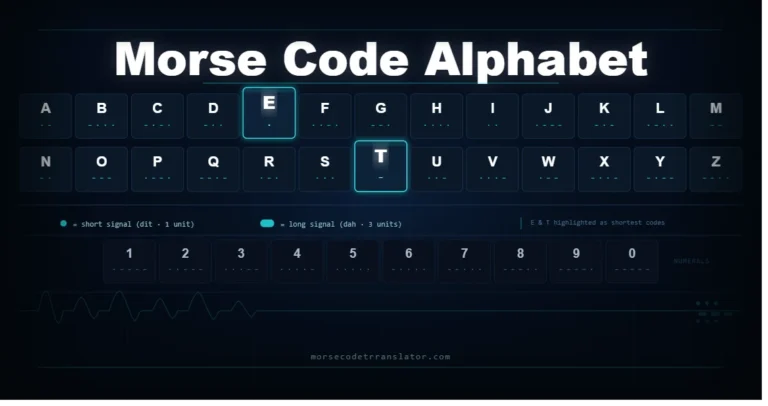
This platform is that tool. Type any word, phrase, or sentence into the morse code generator above and get the encoded output in real time. Every character follows the ITU-R M.1677-1 international standard — the same standard used by HAM radio operators, aviation navigation systems, and maritime communication services worldwide.
This article explains how the generator works, what each feature does, how it compares to a morse code translator app, and practical use cases for creating morse code from text.
What Is an Online Morse Code Generator?
An online morse code generator is a web-based tool that converts plain English text into morse code dot-dash patterns. It works in your browser without installing any software, creating an account, or paying for access.
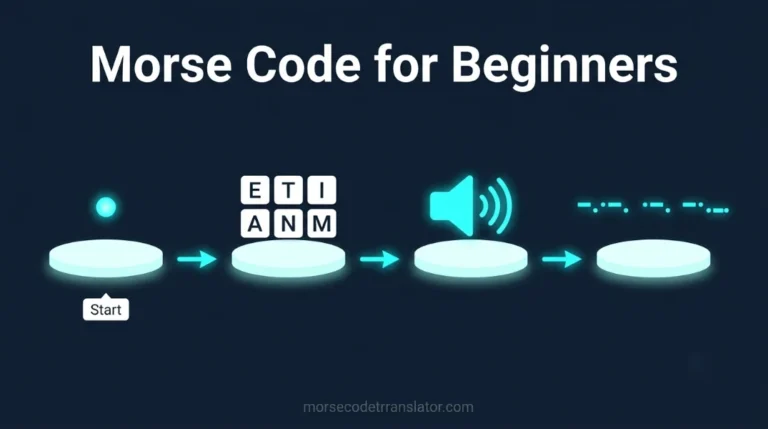
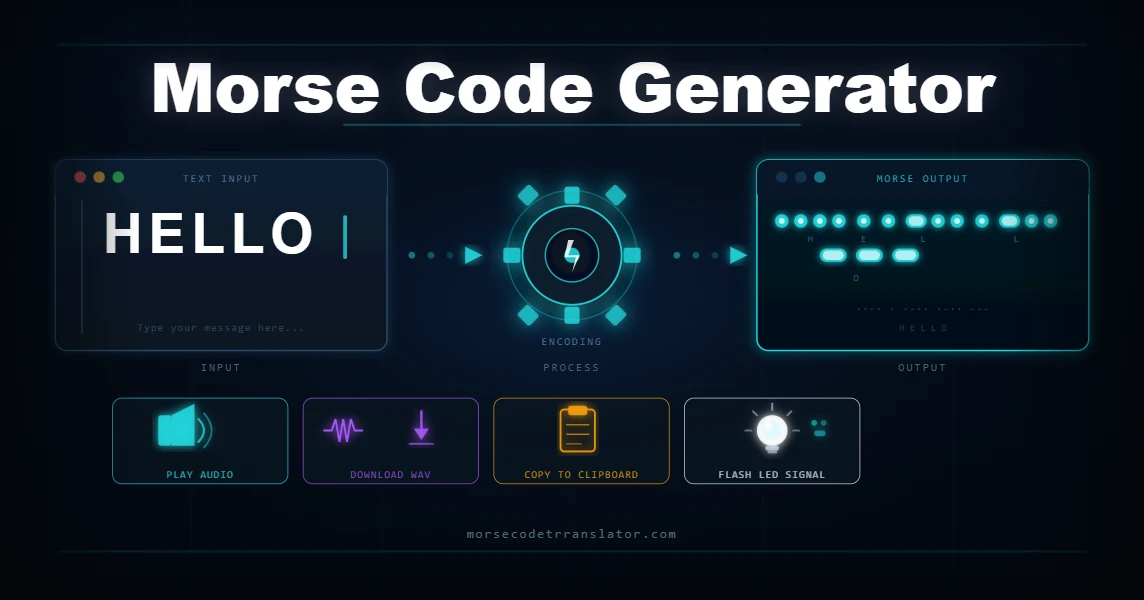
The generation process follows a simple pipeline. You type text. The generator looks up each character in the ITU-R M.1677-1 character table. It outputs the corresponding dot-dash sequence with correct spacing between letters and words. The result is a ready-to-use morse code string you can copy, share, play as audio, or export as a file.
A morse code generator focuses on encoding — text input produces morse output. A translator works in both directions. This platform does both, but the generator function is what this article covers in depth.
According to MorseHub, a professional morse code generator follows the 1:3:7 timing standard — one unit for a dit, three units for a dah, and seven units of silence between words. Every compliant generator including this one uses these exact ratios to produce accurate output.
How to Use the Morse Code Generator
Generating morse code from any text takes four steps. The whole process from typing to copying takes under ten seconds.
Step 1: Type or paste your text
Step 2: See the morse code output instantly
Step 3: Choose how to use your output
Option | What It Does |
Copy | Copies the full morse code string to your clipboard instantly |
Download TXT | Saves the output as a plain text file |
Play Audio | Plays the generated morse code as real audio tones |
Play with Light | Plays audio and flashes the LED indicator simultaneously |
Save WAV | Downloads the morse audio as a WAV file to your device |
Step 4: Adjust speed, pitch, and volume
Morse Code Generator vs Morse Code Translator App — What Is the Difference?
Feature | Morse Code Translator App |
Installation required | Yes |
Works on all devices | Device-specific |
Offline access | Usually yes |
Audio generation | Some apps |
WAV file export | Rare |
Image decoder | Very rare |
Live mic decoding | Some apps |
Free to use | Often freemium |
Data storage | App-dependent |
Mobile morse code apps available on Google Play include Morse Code Generator and Trainer which features a Koch method trainer, flashlight SOS signals, and HAM radio Q-code dictionaries. Google’s own Gboard keyboard for Android includes a built-in morse code input mode, allowing users to type full messages using just two tap gestures representing dit and dah.
For most users, an online morse code generator website delivers everything a dedicated app offers — plus features like image OCR decoding and audio file uploading that most apps do not include. The platform on this site works on every device including iPhone, Android, tablet, laptop, and desktop without any installation.
Morse Code Google — What Happens When You Search for Morse Code Tools
Many people search “morse code translator google” expecting Google to have a built-in tool. Google does offer a basic morse code Easter egg — type “morse code” into Google Search and a simple encoder appears in the search results. However, it only handles text-to-morse encoding with no audio output, no decoder, no WAV export, and no image decoding capability.
For full-featured morse code generation, a dedicated generator website provides significantly more. This platform adds audio playback with WPM and pitch control, WAV export, full bidirectional decoding, image OCR decoding, audio file decoding, live mic input, light signal visualization, and the complete ITU-R M.1677-1 reference chart. The Google tool is useful for a quick single conversion. For anything beyond that, a dedicated online morse code generator handles the full workflow.
Create Morse Code for Every Use Case
The morse code creator on this platform serves a wider range of users than most people expect. Here are the most common use cases and exactly how each one uses the generator.
HAM radio operators and CW practice
Jewelry engraving and tattoo design
Escape rooms and puzzle design
Educational demonstrations
Morse Code Typer and Tap Input — Creating Morse Code Through Sound
Beyond typing, this platform lets you create morse code by tapping near your microphone. Tap short patterns for dits and long patterns for dahs. The tool measures each tap duration, maps it to the correct ITU symbol, and builds the decoded message live. For HAM radio operators, the audio output paired with live mic input creates a complete CW practice loop — generate a phrase, listen to it, tap back what you hear, and verify your accuracy against the original.
Morse Code Generator Features Compared — What Sets This Platform Apart
Most online morse code generators offer basic text-to-morse encoding and audio playback. This platform goes further across every feature category.
Feature | Basic Generators | This Platform |
Text to morse encoding | Yes | Yes |
Morse to text decoding | Some | Yes |
Audio playback | Some | Yes — WPM 5 to 40, Hz 300 to 900 |
WAV file export | Rare | Yes |
Image OCR decoder | No | Yes |
Audio file decoder | No | Yes |
Live mic input | No | Yes |
Light signal visualizer | Some | Yes |
Tap input decoding | No | Yes |
ITU-R M.1677-1 compliant | Sometimes | Yes — full standard |
Data privacy | Varies | Nothing stored or sent ever |
Login required | Sometimes | Never |
The audio engine uses the Web Audio API to generate sine wave tones at exact ITU timing ratios. At 15 WPM, a dit lasts 80 milliseconds and every other timing element scales from that reference.
Frequently Asked Questions
Generate Morse Code from Any Text Right Now
The online morse code generator on this platform creates accurate ITU-standard morse code from any text instantly. Type a word, a phrase, or a full sentence and get the encoded output in real time. Play it as audio, flash it as light, copy it to your clipboard, or download it as a WAV file.
Use it as a morse code writer for personal messages, a morse code encoder for HAM radio practice, a morse code creator for puzzle design, or a morse code helper for classroom demonstrations. Every output follows the ITU-R M.1677-1 standard and nothing you type is stored or shared anywhere.
For decoding morse code back to English, visit our Online Morse Code Decoder page. For audio file and image decoding, visit our Morse Code Audio Translator guide.