Morse Code Audio Translator — Decode Sound, Images and Light Signals Free
Most morse code tools only handle typed text. But real morse code signals do not always arrive as dots and dashes on a screen. They come as audio recordings, radio transmissions, photographs, handwritten notes, light flashes, and live microphone feeds.
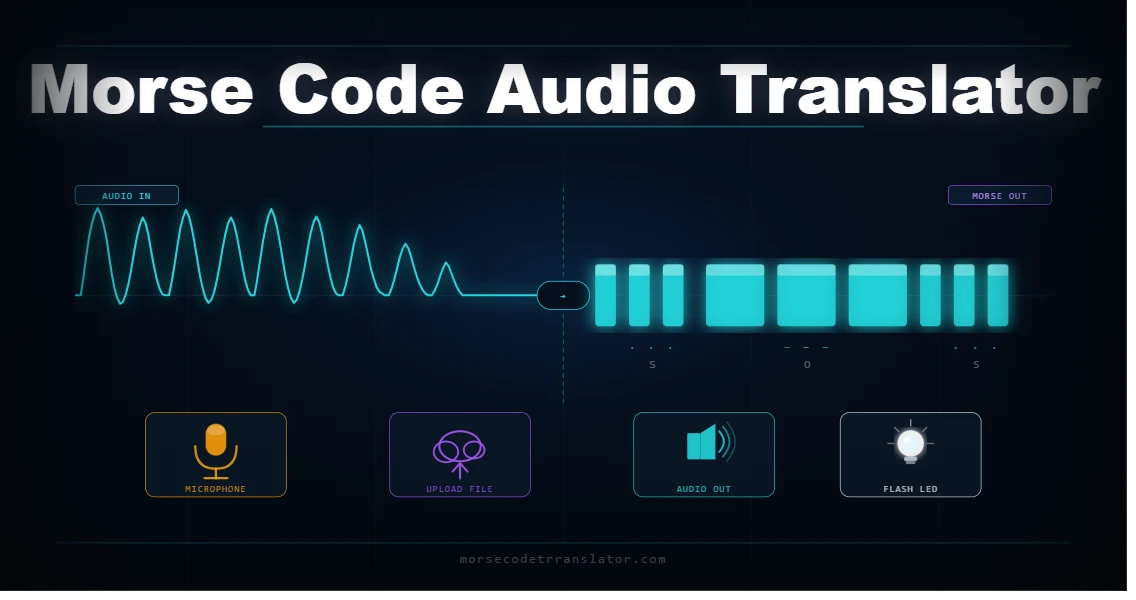
This platform handles all of them. The morse code audio translator on this site decodes WAV and MP3 files, reads morse code from uploaded images using OCR, listens to live signals through your microphone in real time, and plays back any translated text as audio with adjustable speed and pitch. Every format. One tool. Completely free.
All processing follows the ITU-R M.1677-1 international morse code standard and runs entirely inside your browser. Nothing you upload or record is sent to any server or stored anywhere.
What Is a Morse Code Audio Translator?
A morse code audio translator converts audio signals containing morse code tones into readable text. Unlike a text-based translator where the input is typed characters, this tool works directly with sound.
The tool analyzes audio using frequency detection. It listens for short and long tones — dits and dahs — at the target frequency, typically between 500 and 900 Hz for CW (continuous wave) transmissions. It maps the detected tone pattern to the ITU character table and outputs the decoded text. Trained radio operators once did this manually by ear. Tools like this one handle it automatically.
How to Use the Audio Morse Code Decoder
Using the audio morse code decoder takes four steps. The whole process from upload to result takes under thirty seconds with a clear recording.
Step 1: Open the Audio Decoder tab
Click the Audio Decoder tab at the top of the tool on this page. The upload panel appears immediately.
Step 2: Upload your audio file
Click the upload area or drag and drop your file directly into it. The tool accepts the following formats:
- WAV (best quality for tone detection)
- MP3 (most common format)
- OGG (open format, full support)
- M4A (Apple device recordings)
Step 3: Let the tool analyze the signal
The tool scans the audio using frequency analysis and timing detection. It identifies the dit-dah pattern, maps each detected sequence to the ITU character table, and builds the decoded text string.
Step 4: Copy or use your result
The decoded morse code appears first, then the English translation below it. Hit Copy Text to grab the result instantly.
Tips for best results:
- Use recordings with minimal background noise
- Target frequency should sit between 500 and 900 Hz
- Avoid files with heavy compression artifacts
- WAV files produce the most accurate decoding results
Morse Code Sound to Text — How the Detection Works
The tool uses frequency analysis. It scans the audio file in 20-millisecond frames and measures energy at target morse tone frequencies. When energy rises above a threshold, the frame is marked as a tone. When it falls below, it is marked as silence. The tool then measures the duration of each tone and gap:
Signal | Duration | Decoded As |
Short tone | Under 120 ms | Dit (dot) |
Long tone | Over 120 ms | Dah (dash) |
Short gap | Under 300 ms | Between symbols in one letter |
Medium gap | 300 to 700 ms | Between letters |
Long gap | Over 700 ms | Between words |
At 15 WPM, a dit lasts 80 milliseconds and a dah lasts 240 milliseconds. The tool adapts automatically to different speeds and detects pitch automatically. Manual threshold adjustment is available for recordings with unusual signal levels.
Image Morse Code Translator — Decode Morse from Photos
The image morse code translator solves a problem that text-based and audio decoders cannot. Sometimes morse code appears as a visual pattern in a photograph, screenshot, scanned document, or handwritten note. You cannot paste a photo into a text box and you cannot play it as audio.
The image decoder reads morse code directly from uploaded image files using OCR (optical character recognition). It scans the image, identifies dot-dash character patterns, extracts them, and decodes the result to English text.
Supported image formats:
What the image decoder works best on:
Image Type | Expected Accuracy |
Screenshots of typed morse code | Very high |
Printed telegraph transcripts | High |
Clear photos of handwritten morse | Moderate |
Low resolution or blurry images | Lower — use higher quality source |
High contrast black on white | Best results overall |
How to get the best results from the image decoder:
Light Morse Code Translator — Visual Signal Detection
The light morse code translator converts morse code into a visual flashing signal rather than audio tones. This is how morse code was transmitted before radio — by flashing light from signal lamps, heliographs, and ship lanterns across open water.
On this platform, the light signal feature activates during audio playback. The LED indicator on the tool flashes in sync with every dit and dah in your morse code output. Short flashes for dits, long flashes for dahs. The timing follows the standard ITU ratios at your chosen WPM setting.
This feature serves several practical purposes:
The light signal output also helps you practice manual signaling. Mirror the LED pattern with a torch, phone screen, or signal mirror to send real morse code messages using light. The SOS pattern of three short, three long, three short flashes is recognizable to search and rescue teams worldwide.
Morse Code Tap — Decoding Rhythm-Based Input
Morse code tap is one of the oldest forms of transmission. Telegraph operators tapped keys. Field operators tapped rocks on metal. The live microphone decoder on this platform captures tap-based input alongside tonal signals. When you tap near the microphone in short and long patterns, the audio engine detects the percussive sounds and maps them to dit-dah sequences.
For tap decoding to work accurately:
The tool measures tap duration relative to your natural short-tap baseline and scales all timing ratios from that single reference point.
Live Mic Morse Code Decoder — Real-Time Audio Detection
The live microphone decoder listens in real time, detects incoming morse code tones or tap patterns, and builds the decoded message as the signal plays. To start:
- Click the Live Mic tab at the top of the tool
- Click Start Listening and allow microphone access in your browser
- Play morse code tones near your device or tap in a short-long pattern
- Watch the decoded text build in real time in the output panel
- Click Stop when finished and copy your result
The waveform visualizer shows your audio input as a live graph. The detection threshold slider controls sensitivity — higher in noisy environments, lower for clean signals. The default setting of 15 works well for most indoor environments.
Morse Code Audio Output — Playing and Saving Sound
The audio output features convert text to morse code sound. Type any text into the main Translator tab and use these options:
Feature | What It Does |
Play Audio | Plays your morse code as sine wave tones through your speaker |
Adjust WPM | Controls transmission speed from 5 to 40 words per minute |
Adjust Pitch | Sets the tone frequency between 300 and 900 Hz |
Adjust Volume | Controls the output level before playback |
Save WAV | Downloads your morse code as a WAV audio file |
Play with Light | Plays audio and flashes the LED signal simultaneously |
The audio engine uses the Web Audio API to generate clean sine wave tones at your chosen WPM and pitch. HAM radio operators use this feature to practice sending and receiving CW signals across amateur radio bands worldwide.
Frequently Asked Questions
Decode Any Morse Code Signal on This Platform
Whether your morse code signal arrives as an audio file, a photograph, a live microphone feed, or a light flash pattern, this platform handles all four in one place. The audio translator processes WAV and MP3 recordings. The image decoder reads dot-dash patterns from photos using OCR. The live mic decoder listens in real time. The light visualizer converts any text to a flash pattern. All modes follow the ITU-R M.1677-1 standard and run entirely inside your browser.
Use the tool above to start decoding any format right now. To convert typed English text to morse code instead, visit our Convert English to Morse Code guide.